Vehicle details
Maker and model, fuel type, colour, vehicle class and seating capacity, as the record lists them.

Enter a registration number to see the maker, fuel type, insurance and PUC validity, fitness and the registering RTO. The owner name stays masked.
A registration certificate is the record a regional transport office keeps for a vehicle. A search returns the fields that record contains.
Maker and model, fuel type, colour, vehicle class and seating capacity, as the record lists them.
The insurer, the insurance expiry and the PUC date, with how many days are left or how long ago they ended.
Fitness validity and road tax paid-up date, plus the registration date and the age of the vehicle.
The office and state that registered the vehicle, linked to its address and phone in the RTO directory.
Type the registration number without spaces, for example DL01AB1234. Bharat series numbers such as 22BH1234AA work too.
The record is fetched from a third-party source. You do not need an account, and nothing is saved on this site.
Details are grouped as ownership, vehicle, insurance and dates. Expired dates are marked in red so they stand out.
Knowing the parts helps you spot a typo before you search.
The first four characters, such as DL01, point to the regional transport office that registered the vehicle.
Bharat series numbers look different, for example 22BH1234AA: the year, the letters BH, four digits and two letters. They are not tied to one state.
Enter the number without spaces or dashes. Include the series letters, because a short number such as DL01 only names an office.
Need the office address or phone? Open RTO offices and enter the same code.
Pick a state to see its registering offices.
Short answers about what this search shows, and what it does not.
No. Owner names stay masked. This site does not show a vehicle owner's full name, address or phone number.
The record may be unavailable, or the number may not match the expected format, such as GJ01AB1234 or a BH-series number. Details come from a third-party source and are sometimes incomplete.
No. This site is not a government portal. Vehicle details are fetched through a third-party library and may be masked or incomplete. Confirm an official record on VAHAN or Parivahan.
Yes. Search works with standard state registration numbers and with BH-series numbers.
The third-party source may not have a complete or current record for that vehicle.
No. You can search without signing up, and the search is free.
Use Challan Search to open the official e-Challan portal. This site does not list challans itself.
No. Ownership transfer is handled by the regional transport office, and the process can differ by state.
Registration updates, traffic rules, challans, and vehicle stories from the blog.
 Auto News
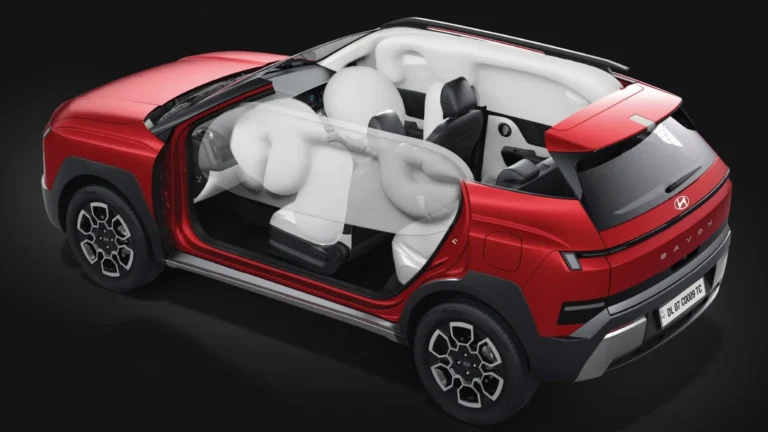
Hyundai Bayon safety features include Level 2 ADAS, six airbags, ESC, and SmartSense. Here is every safety system…
 Auto News
Which compact SUV topped Indian sales in H1 FY2027? Here are the top selling sub-4-metre SUVs in India ranked by real…
 Auto News
Tata Safari EV Launch Date 2026: Price, Range and Specs Meta Description: Tata Safari EV launch date in India is…
 Auto News
The Tata Nano EV has become one of the most searched electric car topics in India — a product that […]